If you’re still manually writing and maintaining test scripts in 2026, you’re working about 10 times harder than teams using AI testing tools.
Most teams have already moved on. AI testing tools now handle tasks that once took hours. Tests that need a full day can finish in minutes. Maintenance work has dropped sharply because tests adjust when the app changes.
Then what is the problem?
Too many tools claiming to be ‘AI-powered’, but only a few actually help.
That’s why this list of the 15 best AI-powered QA tools is here, to help choose the ones that actually improve testing in 2026.
What are AI testing Tools?
AI Testing Tools use artificial intelligence and machine learning to improve how software is tested. These tools learn from your application, test history, and user behavior to make testing faster and more reliable.
They help with:
- Creating test cases automatically
- Fixing broken tests on their own
- Predicting high-risk areas
- Running only the most important tests
- Finding UI and performance issues early
AI does not replace QA engineers. It removes repetitive work so testers can focus on quality, logic, and real user experience.
Why do AI Testing tools matter in 2026?
The most important change in software testing in 2026 is the need to move fast without breaking quality. Applications update often, user flows change quickly, and release cycles are shorter than ever.
Traditional testing tools struggle to keep up, which is why AI testing tools have become essential for modern QA teams.
Here’s why AI testing tools truly matter:
- Less test maintenance AI tools adapt when UI or logic changes, so tests fail less and save hours of manual fixes.
- Earlier bug detection Testing runs continuously during development, catching issues before they reach production.
- Better test coverage AI analyzes user behavior and past bugs to test edge cases humans often miss.
- Faster release cycles Tests that once took hours now run in minutes, helping teams ship faster.
- Reduced QA pressure Repetitive checks are automated, letting testers focus on critical thinking and user experience.
15 Best AI testing Tools You Should Try
1. Testim
Best for: Fast-changing web apps
Testim uses AI to create stable automated tests that don’t break with small UI changes. It learns from your app behavior and auto-fixes locators when elements move.
2. Applitools
Best for: Visual testing
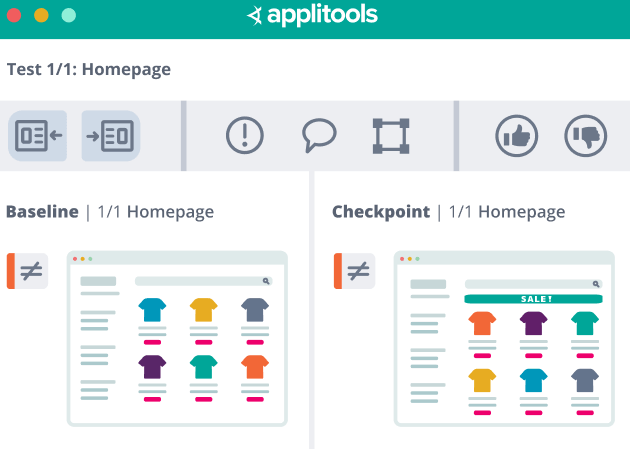
Applitools checks how your application looks on different screens, browsers, and devices.
It uses AI-powered visual comparison to spot issues like misaligned buttons, missing elements, font changes, or layout breaks that functional tests usually miss.
3. Mabl
Best for: End-to-end testing with CI/CD
Mabl combines functional, visual, and performance testing into one platform. Tests run automatically with every deployment and adapt when small UI changes occur.
It also provides insights on test health and performance trends.
4. Functionize
Best for: Teams with limited automation expertise
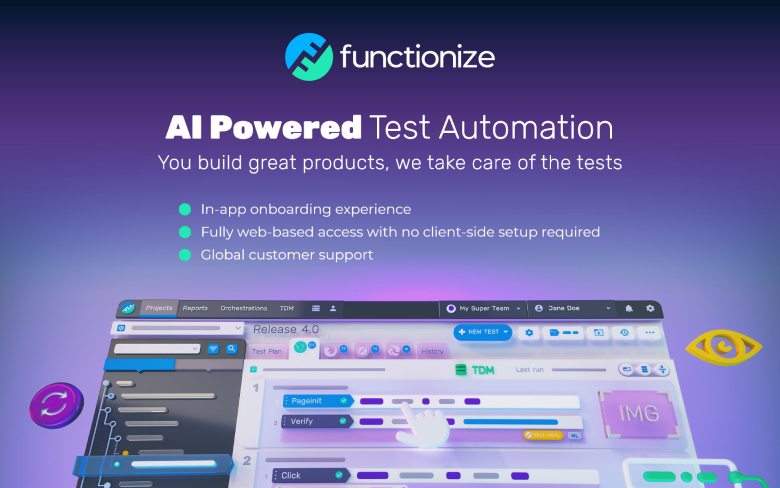
Functionize allows you to create tests using plain English commands. AI handles test creation, execution, and maintenance.
It supports web, mobile, and API testing without writing complex scripts.
5. Perfecto
Best for: Mobile app developers, teams needing comprehensive device coverage
Perfecto is a GenAI-assisted mobile and web automation with real device testing. It gives you access to 20,000+ real Android and iOS devices for testing.
6. Selenium with AI Add-ons

Best for: Existing Selenium users
AI add-ons improve Selenium by fixing flaky tests and improving element detection. They reduce failures caused by dynamic content or minor UI changes while keeping your current Selenium setup.
7. EggPlant
Best for: Complex enterprise workflows
Eggplant uses AI and computer vision to test applications from the user’s point of view. It focuses on real user journeys rather than just technical checks. It works well across web, desktop, and mobile apps.
8. Katalon
Best for: All-in-one testing needs
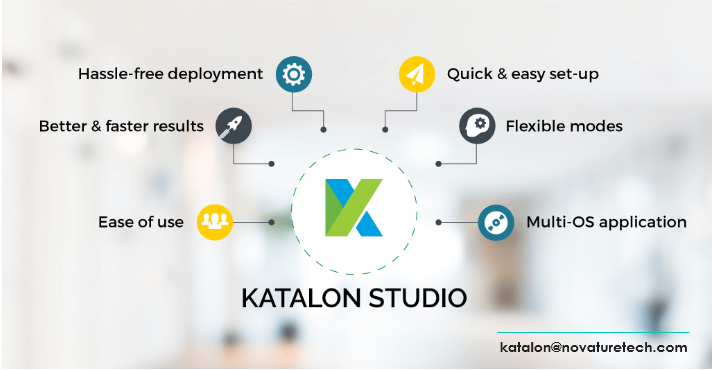
Katalon supports web, mobile, API, and desktop testing in one tool. Its AI features help detect flaky tests, optimize execution, and speed up test creation.
9. Tricentis Tosca

Best for: Large enterprise and business-critical applications
Tricentis Tosca is built for complex systems where testing every business flow is critical. It uses AI-driven, model-based testing, which means you test workflows instead of writing individual scripts.
This makes it easier to maintain tests when requirements change. Tosca is widely used for SAP, ERP, CRM, and financial systems where stability and compliance matter.
10. Ranorex

Best for: Desktop, web, and mobile applications
Ranorex is designed for teams that need to test across multiple platforms, especially desktop software.
It uses smart object recognition to identify UI elements reliably, even when the UI changes slightly. Tests can be reused across environments, saving time during regression testing.
11. ACCELQ
Best for: Agile teams practicing continuous testing
ACCELQ focuses on linking business processes with test automation. Its AI helps design tests based on real user flows and keeps them aligned with application changes.
It supports API, web, and packaged applications, making it useful for end-to-end testing.
12. Sealights
Best for: Reducing unnecessary testing
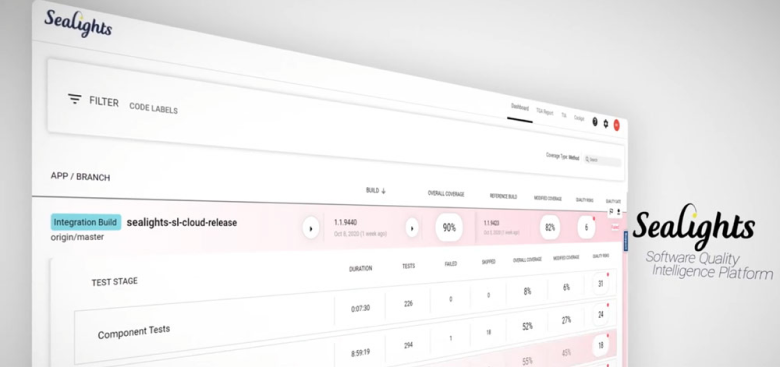
Sealights does not create tests. Instead, it analyzes your code changes and tells you what needs testing and what can be skipped.
By focusing only on affected areas, it reduces test execution time and speeds up releases without sacrificing coverage.
12. Parasoft

Best for: API testing and regulated industries
Parasoft uses AI to detect defects early in APIs, services, and backend systems. It emphasizes security, compliance, and reliability.
Many organizations use it in industries like healthcare, finance, and automotive where quality standards are strict.
14. Virtuoso

Best for: No-code, fast test creation
Virtuoso allows teams to write automated tests in simple English. AI understands the intent behind each step and updates tests when the UI changes. This removes the need for complex scripting and heavy maintenance.
15. QA Wolf
Best for: Startups and small teams
QA Wolf offers complete test coverage with a fixed monthly price. Tests are created, run, and maintained for you.
The platform integrates with CI tools and provides clear reports on test results.
How AI Testing Tools Improve QA Work?
AI testing tools change how QA teams work day to day. They do not just automate tasks. They remove common pain points that slow testing and lower the quality.
Here is how they actually help in real QA work:
1. Reduce test maintenance work
Traditional test scripts break whenever the UI changes. QA teams spend hours fixing locators and scripts. AI testing tools learn how the application behaves. When a button moves or a label changes, tests adjust automatically. This saves time every sprint and keeps test suites stable.
2. Help QA focus on real bugs
Manual testing often repeats the same checks. AI tools handle repetitive validation and regression testing. This frees QA engineers to focus on edge cases, user experience, and high-risk flows that truly need human judgment.
3. Find issues earlier in the cycle
AI testing tools run continuously during development. They detect failures as soon as code changes are pushed. Bugs are found when they are easier and cheaper to fix, not at the end of the release.
4. Improve test coverage
AI tools analyze user behavior, production data, and past defects. They generate tests for scenarios humans often miss. This leads to better coverage without writing hundreds of extra test cases.
5. Make releases faster and safer
Because tests run faster and break less, teams can release more often with confidence. QA becomes a speed enabler instead of a bottleneck.
6. Support growing teams
As products scale, manual testing does not. AI testing tools scale easily across devices, browsers, and environments without adding more QA staff.
Common Mistakes When Choosing AI Testing Tools
Choosing the wrong AI testing tool can slow your team down instead of helping. Many teams rush the decision and regret it later. Here are the most common mistakes and how to avoid them.
1. Ignoring your application type
Some tools work best for web apps, others for mobile, APIs, or desktop software. Teams often pick a popular tool without checking if it fits their tech stack. This leads to poor results and wasted effort. The tool must match your application, not the trend.
2. Focusing only on automation speed
Fast test execution looks impressive, but speed alone does not guarantee quality. If tests are flaky or miss real user flows, faster results mean nothing. Good AI testing tools improve stability, coverage, and insight, not just execution time.
3. Overlooking integration with existing tools
If an AI testing tool does not work well with your CI/CD pipeline, bug trackers, or version control, it creates extra work. QA teams end up juggling tools manually. Strong integration is critical for real productivity.
4. Underestimating learning and setup effort
Some AI tools still require training, configuration, or process changes. Teams assume the tool will work instantly and get frustrated when results take time. Always plan for onboarding, test migration, and team training.
5. Not evaluating long-term cost and value
Some tools are cheap at first but become expensive as test coverage grows. Others charge per execution or per user. Teams should evaluate long-term cost based on usage, not just the starting price.
Final Thoughts
After going through these AI testing tools, one thing is clear. QA does not have to feel like a never ending bug hunt anymore.
These tools did not become popular by accident. They save time, catch issues early, and help teams release software without panic mode on launch day. The right tool will feel less like extra work and more like a helpful teammate who never gets tired.
So pick a tool that fits your workflow, not just the one with the longest feature list. When testing gets easier, releases get smoother, and everyone gets fewer late night bug fix calls. And yes, your QA team might finally forgive you for the last release.