

AI driven software development sounds like a complex term. BUT, in real life, it’s much simpler than it looks.
TODAY software is not only built by writing code manually. AI now helps developers suggest code, find bugs, test applications, and even predict problems before users face them.
And this shift is happening fast. According to GitHub, developers using AI tools like Copilot complete tasks up to 55% faster than traditional coding methods.
If you’re curious about AI driven software development and how beginners can use it in 2026, this guide explains it all simply.
What is AI Driven Software Development?
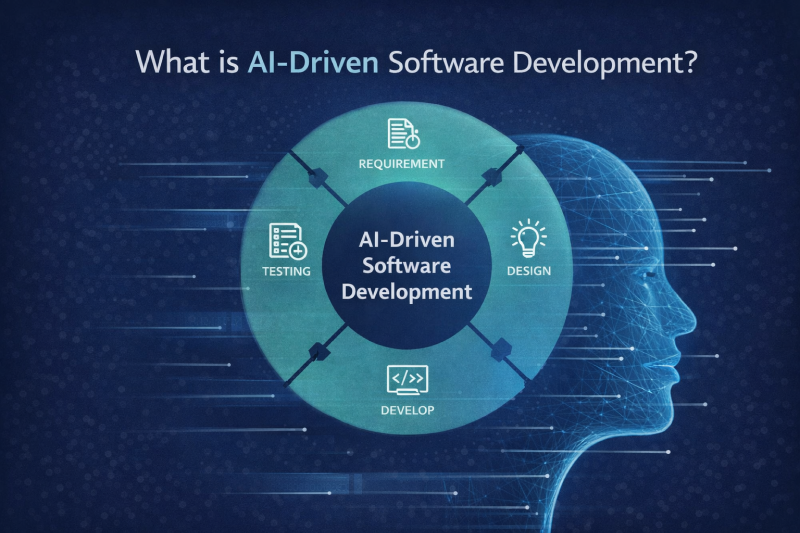
AI driven software development means using artificial intelligence to help build software faster and smarter. Instead of doing everything manually, developers use AI tools to support their work.
In fact, today, 84% of developers already use AI tools, showing how common AI has become. Ai study large amount of existing code and learn how developers write software. Using this learning, it produces code and suggestions that feel human-written.
AI helps with:
- Code generation
- Debugging & testing
- Optimiation
- Documentation
Benefits of AI in Software Development
1. Speeds up coding, but doesn’t replace thinking
AI tools like GitHub Copilot or ChatGPT can write large chunks of code in seconds. You can generate boilerplate, API calls, or even entire functions almost instantly.
Truth: It speeds up repetitive work but cannot replace understanding logic, architecture, or problem-solving. You still need to guide the AI and review everything.
2. Reduce simple human errors
AI can spot typos, syntax mistakes, and missing code elements while you type. This is especially useful for beginners who often miss small errors that break the app.
Truth: It doesn’t catch complex logical errors or insecure patterns. You still need to review code carefully, especially for production-level apps.
3. Helps with cost optimization
AI can suggest ways to improve performance, reduce memory usage, or make functions run faster. It can also help with code refactoring, making messy code cleaner.
Truth: AI suggestions aren’t always optimal. Some “optimized” code may work more slowly or be harder to maintain in the long run.
4. Improves testing and QA efficiency
AI in software testing can automatically generate test cases, suggest edge cases, and even identify potential bugs before they happen. Tools like Testim or Mabl help speed up QA cycles.
Truth: AI testing speeds things up, but cannot replace human judgment. AI may miss context-specific issues or misunderstand business rules.
5. Lowers the learning barrier for beginners
Beginners can write working apps faster with AI, even without years of experience. You can generate functional code, fix errors quickly, and get guidance while learning best practices.
Truth: AI helps you get started, but if you rely on it completely, you risk never learning the fundamentals.
6. Support Documentation and Collaboration
AI can generate README files, explain code sections, and help onboard new developers faster. This saves time in team projects.
Truth: The documentation may be generic or incomplete. You still need to edit it for clarity and accuracy.
Step-by-step Workflow for AI driven Software Development
Let’s learn how AI driven Software development works in a very simple way. We’ll use an easy example of building a task manager app using JavaScript and Node.js.
Step 1: Tell Ai What you want to build
You start by explaining your idea in normal language to AI. Earlier, developers had to write long requirement documents. But now you just need to explain what you want in simple language.
Example: ‘Build a task manager app with login, task list, and database support.’
AI tools such as ChatGPT or GitHub Copilot Chat understand this input and help to turn a rough idea into a clear plan.
They break the app into features, suggest the right tech stack, and explain how different parts of the app should work together. This step saves beginners from making early mistakes in structure and flow.
If you want to explore AI tools for developers in detail and learn which tools work best for planning and ideation, you can read that blog for a deeper understanding.
Step 2: Writing Code with AI help
Now open your code editor. Instead of writing full code, write clear comments.
Example: ‘Create an Express server with JWT login.’
AI tools such as GitHub Copilot read your comments and understand what you are trying to build. Based on that, they automatically generate the required code. The code includes,
- Setting up the server
- Adding authentication logic
- Creating basic API routes so your app can start working quickly.
You don’t have to accept everything as it is. You read the code, make changes, and remove anything you don’t need. AI simply helps you move faster, but the final decisions and control always stay with you.
const express = require(‘express’);
const jwt = require(‘jsonwebtoken’);
const app = express();
app.use(express.json());
const verifyToken = (req, res, next) => {
  const token = req.headers[‘x-access-token’];
  if (!token) return res.status(403).send(‘Token required’);
  jwt.verify(token, ‘secret’, (err, decoded) => {
    if (err) return res.status(401).send(‘Invalid token’);
    req.user = decoded;
    next();
  });
};
app.post(‘/login’, (req, res) => {
  // Add login logic here
});
Above is the Example output that has been provided by AI. Don’t blindly accept it. You review, tweak, and adjust the code.
Step 3: Ask AI to Catch & Fix Errors
This is the most important step in the entire development process.
Once the code runs, testing begins. Earlier, developers had to write test cases by hand and spend hours reading error logs to understand what went wrong.
With AI, testing and debugging become much easier. AI scans your code and understands how different parts work together. When something breaks, you don’t just see an error message. You can ask AI clear questions like,
“Why is this API returning a 401 error?” or “Fix this async/await issue.”
AI looks at the full context of the code and explains the problem in simple words. It may point out missing error checks, incorrect async handling, or weak validation logic that could cause bugs later.
Additionally, it can also generate unit tests using tools like Jest. This helps you test more scenarios without writing every test manually.
Step 4: Improve Code Quality with AI
Once your app is working, don’t stop there; you must test it properly. Earlier, developers wrote test cases manually and spent hours checking logs to find errors. This was slow and confusing, especially when the issue was small but hidden deep in the code.
With AI, this step is about making your code clean, fast, and ready for real users. Start by asking AI clear questions about improvement. For example:
“Clean this code and improve performance.”
“Refactor this file to follow best practices.”
It points out missing error checks, incorrect async handling, or weak validation that could cause failures later.
AI can also generate unit tests using tools like Jest. This helps you test more cases with less effort, reduce bugs early, and move forward with confidence.
Bonus Tip:
The quality of AI output is 100% dependent on prompt quality. I keep a ‘Prompt that works’ document with templates for common tasks.
Step 5: Let AI handle the docs and deployment
Once your app is working and tested, the final step is to prepare it for others to use. This is where documentation and deployment come in, and AI makes this part much easier.
First, documentation. Good documentation explains what your app does and how someone can run it. Instead of writing everything from scratch, you can ask AI to generate a README file. AI can clearly explain the project purpose, list required tools, show how to install dependencies, and describe how to start the app. This is especially helpful for beginners who are not sure what details to include.
Next comes deployment. After the documentation is ready, you push your code to GitHub. AI can guide you on which files to commit and how to structure the project properly. Then, using platforms like Vercel, AI helps you understand deployment steps such as connecting the GitHub repo, setting environment variables, and going live.
At the end of this step, your app is not just working on your laptop. It is documented, shared, and lives for others to use.
The Real Challenges of AI based Software Development
Even though AI makes coding faster, it’s not perfect. Here are the main problems you need to watch out for:
1. Becoming too dependent
I once saw a teammate depend completely on GitHub Copilot. But the moment the tool was blocked temporarily, it became difficult for them to adjust. In result, their productivity dropped by 70%, as they couldn’t code without AI suggestions.
2. Debugging AI code can be Painful
AI sometimes writes code that “almost works.” Fixing it can take longer than writing it from scratch. For example, I spent 3 hours debugging a small async function that would have taken 45 minutes manually.
This is where AI in software testing becomes useful, it can help spot these subtle bugs faster and suggest fixes, but you still need to review the suggestions carefully.
Tip: Always review AI suggestions before using them. Don’t assume it’s perfect.
3. Hidden security risks
AI can copy unsafe patterns from its training data. Around 41% of business owners say AI helps fix errors, but it can also introduce new ones.
Tip: Run AI-generated code through security tools like SonarQube or Snyk. I’ve caught SQL injection issues,
Final Thoughts
AI driven software development is no longer something for big tech companies only. It is slowly becoming part of everyday development work, even for beginners.
You do not need to replace your skills with AI. Think of it as a smart helper that writes faster, finds bugs earlier, and saves you from boring tasks. You still make the decisions, AI just helps you get there quicker.
Start small, test often, and learn as you go. If you stay curious and keep building, you will be more than ready for what 2026 brings.