
SDK vs API is one of those comparisons almost every developer, founder, or product
manager runs into sooner or later.
If you search online, you’ll find hundreds of explanations. Some are too technical. Some just confuse you more.
The reality is simple: most modern apps rely on APIs and SDKs to work faster and scale better. In fact, over 90% of developers use APIs in their projects, according to the Stack Overflow Developer Survey.
But here’s where people get stuck:
- When should you use an API?
- And when does an SDK make more sense?
That’s exactly what this guide breaks down, in plain language, without the jargon.
What is SDK vs API? Simple definition
SDKs and APIs are both called developer tools, but they play very different roles in software development. Mixing them up often leads to wrong technical decisions, wasted time, and poor product design.
Let’s understand them individually.
What is SDK?
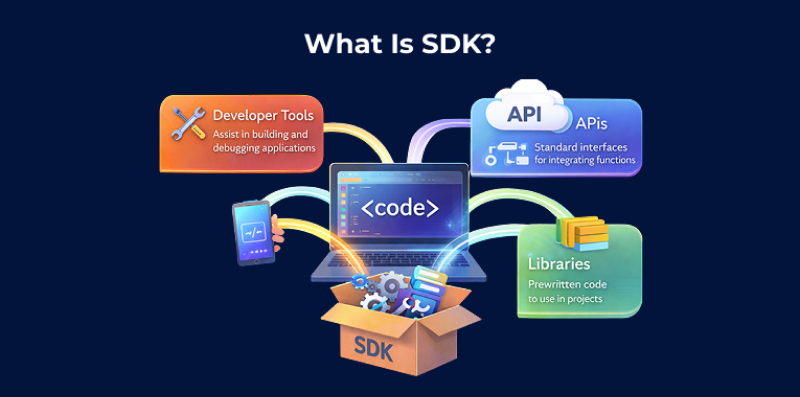
A Software Development Kit is a set of tools that helps developers build applications for a specific platform, system, or programming language.
This ready-made toolkit gives developers everything they need to create software or create with an existing platform.
An SDK usually includes:
- Ready-to-use code libraries that save time.
- APIs that help apps talk to other services.
- Tools for testing, debugging, and building apps.
- Clear documentation that explains how everything works.
- Sample code and templates to show common use cases.
- Support for popular development tools or IDEs.
Popular SDK examples include Android SDK for mobile app development, iOS SDK for Apple devices, AWS SDK for cloud applications, and Facebook SDK for social media integration.
Each SDK is built for a specific platform and usually supports certain programming languages like Java, Python, or JavaScript.
What is an API?
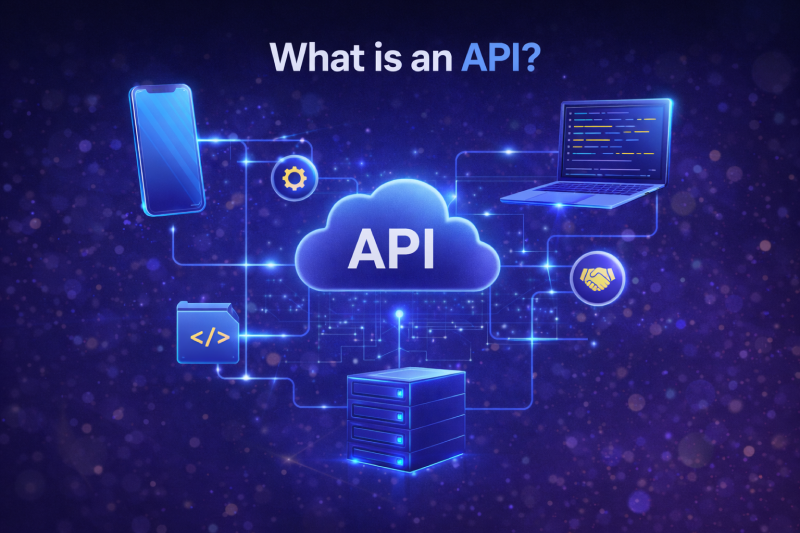
An Application Programming Interface is a set of rules, protocols, and tools that allows different software applications to communicate with each other.
APIs act as intermediaries or messengers that enable data exchange between systems without exposing their underlying code or architecture.
APIs define:
- Endpoints where requests can be sent
- Methods specifying what operations can be performed (GET, POST, PUT, DELETE)
- Request and response formats determining data structure
- Authentication mechanisms ensuring secure access
- Rate limits control usage
Common API types include:
- REST APIs (using HTTP protocols)
- GraphQL APIs (query-based data fetching)
- SOAP APIs (XML-based messaging)
- and WebSocket APIs (real-time communication)
Did you know?
Apps like Google Maps, Twitter, online payment systems such as Stripe, and even weather apps work because of APIs that quietly share data behind the scenes.
How do developers use SDK Vs API?
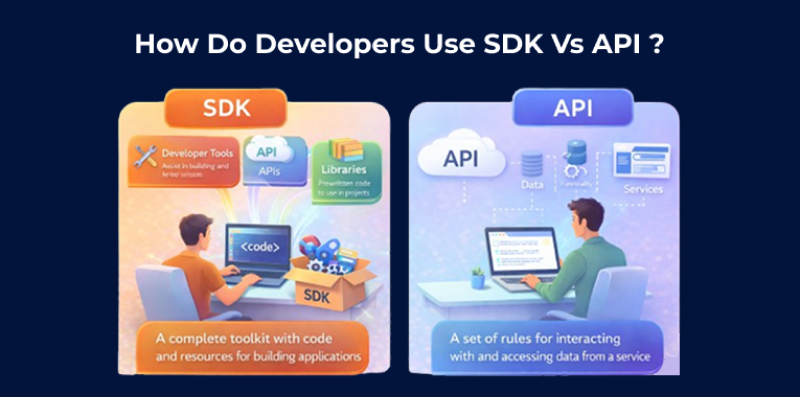
Now let’s look at how these tools are used in real development.
How do developers use the SDK?
Developers use an SDK when they want to build an application or add features quickly and efficiently, without writing everything from scratch.
An SDK removes a lot of manual work by providing ready-made tools and code that handle common tasks.
Common situations where SDKs are used:
- Building mobile apps for Android or iOS
- Adding payments, maps, or analytics quickly
- Integrating third-party services with minimal setup
- Developing games or interactive apps
- Working with cloud platforms like AWS or Firebase
- Speeding up MVP or startup development
- Reducing coding effort and errors
How do developers use API?
Developers use APIs when their application needs to communicate with another system without building that system from scratch.
Instead of creating everything on their own, they rely on APIs to request data or trigger actions from external services.
Common situations where APIs are used:
- Getting customer details from a CRM system
- Checking delivery prices from a shipping service
- Processing online payments through a payment gateway
- Letting users sign in with Google or Facebook
In all these cases, the app sends a request and waits for a response.
SDK vs API: Quick Comparison Table for Beginners
To really understand SDK vs API, you need to look at how they differ in real usage, not just definitions. Below are the key differences explained in simple terms.
| Sr no. | Key Difference | API | SDK |
|---|---|---|---|
| 1. | Scope | A way for different software systems to talk to each other | A complete toolkit to build applications |
| 2. | Main Purpose | Limited scope. Mainly allows one system to communicate with another | Wider scope including APIs, tools, libraries, and resources |
| 3. | Level of Control | High. Developers handle logic and flow | Medium. Many things are handled automatically |
| 4. | Effort Required | More effort and manual coding | Less effort with ready-made functions |
| 5. | Setup Time | Takes more time to configure | Quick and easy setup |
| 6. | Flexibility | Very flexible and customizable | Faster but more structured |
| 7. | Error Handling | Errors must be handled manually | Mostly handled by the SDK |
| 8. | Platform Dependency | Works across different languages | Often specific to a language or platform |
| 9. | Best Used When | You need full control and custom logic | You want speed, simplicity, and faster development |
API vs SDK: Which is better & why?
Choosing between an API and an SDK depends on what you’re building and how much control you need.
Use an API when:
- You only need specific data or a single feature
- You want full control over how requests and responses work
- You’re connecting one system to another without extra tools
Use an SDK when:
- You want to build faster with less setup
- You need ready-made tools, libraries, and helpers
- You’re working closely with a platform or service
SDKs are best when speed, ease, and structure matter more than deep customization.
Closure
In simple terms, an API is like giving someone directions, while an SDK is like handing them the car, the map, and the fuel too. Both help developers get work done, just in different ways.
If you only need to connect and exchange data, an API is usually enough. If you want everything ready to use with fewer headaches, an SDK saves time and effort.
So the right choice depends on what you are building and how much help you want. Pick the tool that makes your work easier, not harder.