
Let’s be honest.
Every time someone says “Kubernetes vs Docker”, half the internet goes into panic mode like there’s some big rivalry going on.
But here’s the truth most blogs make way too complicated:
Docker helps you create containers. Kubernetes helps you manage containers at scale.
They’re not enemies. They’re teammates.
Once you understand that, the whole topic becomes 10x easier.
So, let’s break it down in simple, real-world language.
Kubernetes vs Docker: Understanding the Key Differences
When people hear “Kubernetes vs Docker,” they often get confused, thinking they’re competitors.
The truth? They solve different problems. Let’s know their differences.
What Docker Actually Is? (Explained Simply)
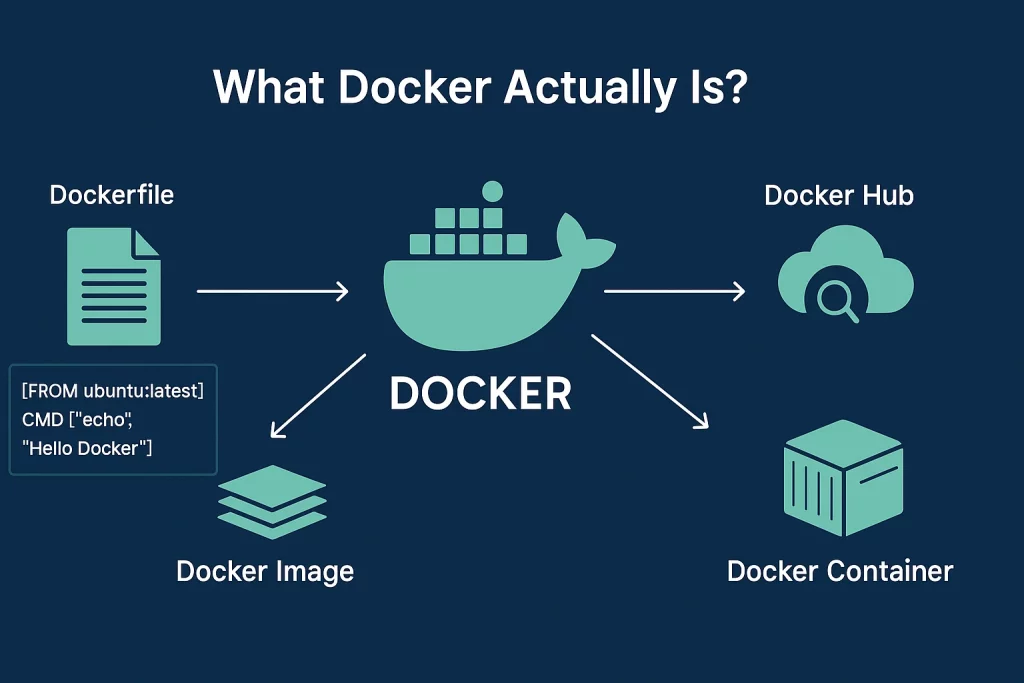
Docker is a containerization platform that lets you pack your app and everything it needs. Needs such as libraries, settings, and environment are put into a tiny, portable unit called a container.
Imagine you built an app that works perfectly on your laptop…
But the moment you run it somewhere else, everything breaks, errors, missing files, wrong setup…. Docker fixes this.
It packages your app + everything it needs into a neat little box called a container.
That container runs the same everywhere, laptop, cloud, server, anywhere.
Why developers love Docker:
- Setup becomes stupid simple
- Apps behave consistently
- Testing is smooth
- Shipping code feels stress-free
Docker is great when you’re building and running things locally or running a few containers on a server.
Features of Docker
- Runs Anywhere
Docker containers work the same on every machine. So whatever runs in development will run the same in testing and production.
- Easy to Use
Docker’s simple commands and tools make it beginner-friendly, even if you’re new to containers.
- Light and Efficient
Containers share the same OS core, so they use fewer resources than full virtual machines.
- Starts in Seconds
Docker spins up containers almost instantly, making it perfect for apps that need quick start and stop times.
How Docker Works? (Simple Version)
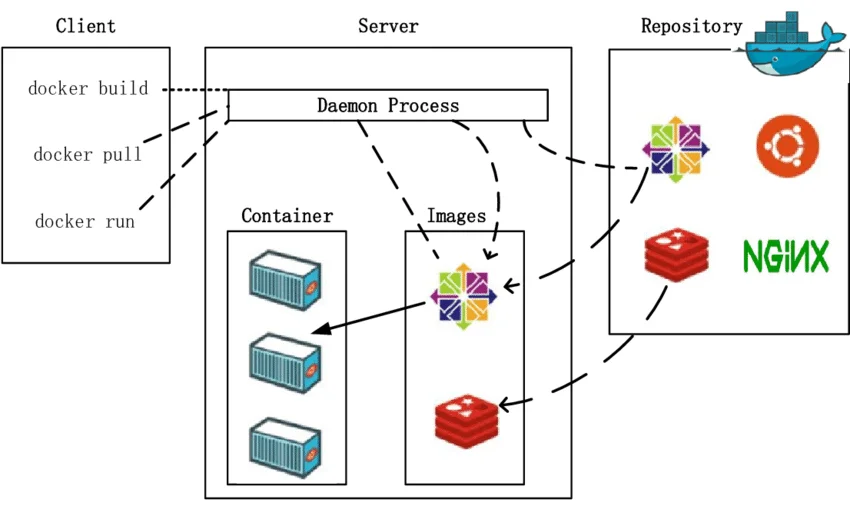
Docker runs apps inside containers.
Think of a container as a ready-to-use box that has everything your app needs.
Step 1: Docker Image
A Docker image is the blueprint.
It defines what goes inside the container, like:
- App code
- Libraries
- Settings
- Runtime
Build it once. Use it anywhere.
Step 2: Dockerfile
A Dockerfile is a set of instructions to create the image.
It tells Docker:
- Which base system to use
- Where the app lives
- What to install
- How to start the app
Once written, Docker follows these steps automatically.
Step 3: Build the Image
You run a simple command:
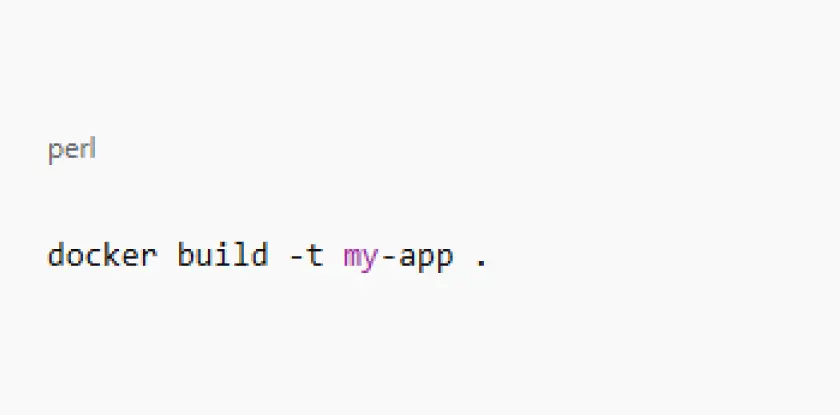
Docker reads the Dockerfile and creates the image.
Step 4: Run the Container
Now you start the app:
Your app runs inside a container.
Same behavior on laptop, server, or cloud.
What Kubernetes Actually is?
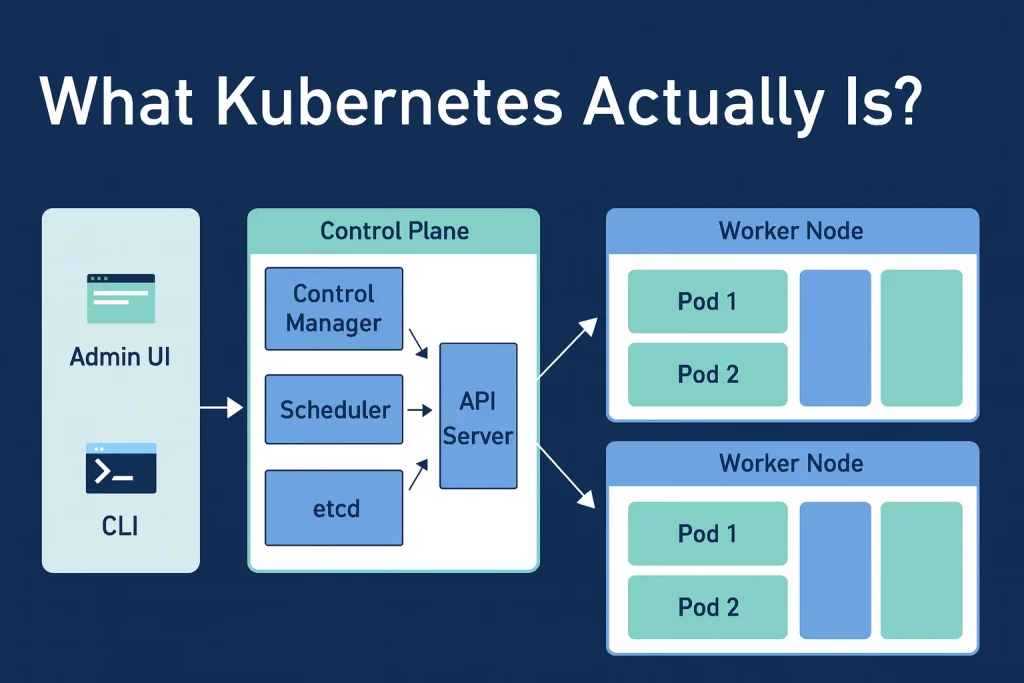
Kubernetes is a container orchestration platform that manages and scales your containers across multiple machines. It keeps everything running smoothly without you having to babysit anything.
Now imagine your app suddenly goes viral.
Traffic shoots up, and you instantly need more servers, scaling, and zero downtime. Doing all this manually? Impossible, this is where Kubernetes steps in.
Kubernetes acts like a super-smart manager for your containers.
You simply tell it what you want:
“I need 20 containers of this app running.”
And Kubernetes responds:
“Done. I’ll run them. I’ll watch them. If any fail, I’ll fix them myself.”
It keeps your system stable even when things break, and trust me, at scale, things always break.
Why developers love Kubernetes:
- Automatically scales apps based on demand
- Keeps apps running even if some containers fail
- Distributes traffic smartly for better performance
- Updates apps with minimal or no downtime
Features of Kubernetes
- Scales on Its Own
Kubernetes can increase or decrease the number of containers automatically based on how much power your app needs.
- Shares the Traffic Smartly
It spreads incoming traffic across containers so your app stays fast and doesn’t crash under load.
- Finds Services Automatically
Kubernetes lets containers find each other without you manually setting up IPs or endpoints.
- Updates Without Downtime
You can release new versions smoothly while the old one is still running, keeping your app online during updates.
How Kubernetes Works (Step by Step)
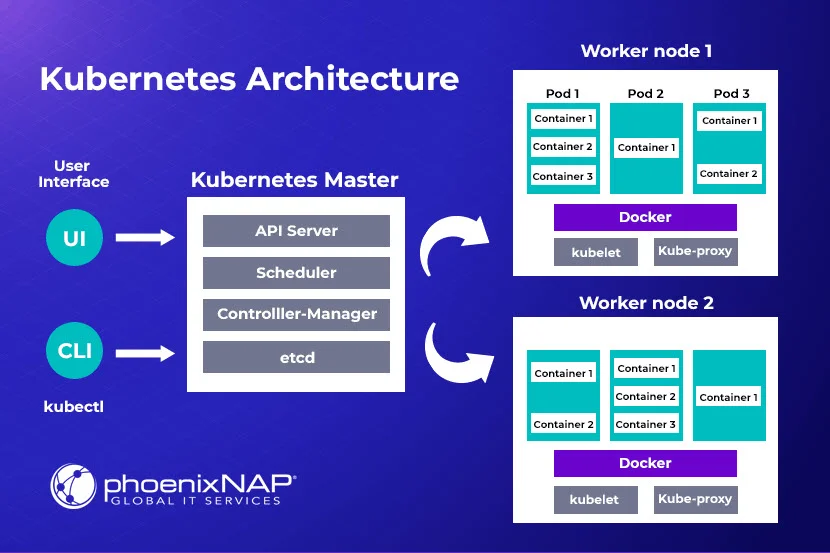
Step 1: Clusters
A cluster is the entire setup where Kubernetes runs. Think of it as the “city” where all your apps live. It’s made up of multiple nodes (machines) that work together.
Step 2: Nodes
Nodes are the machines in the cluster. There are two types:
Master Node – It is the brain. It manages the cluster, decides where workloads go, and monitors health.
Worker Node – The worker. It runs your apps inside containers.
Step 3: Pods
A pod is the smallest unit in Kubernetes. Each pod can have one or more containers. Containers inside a pod share the same network and storage, making communication easier.
Step 4: Deployments and Scaling
Kubernetes keeps your apps running smoothly:
- It distributes workloads across nodes.
- It scales resources up or down depending on demand.
- If a container crashes, it automatically restarts it.
Step 5: Desired State
You tell Kubernetes how you want your apps to run (number of pods, resources, configuration). Kubernetes constantly checks this “desired state” and fixes any differences automatically.
Step 6: Automation
All these steps are automated. You don’t manually manage servers or containers. Kubernetes ensures your applications are reliable, resilient, and scalable without constant human intervention.
Comparison Table: Kubernetes vs Docker
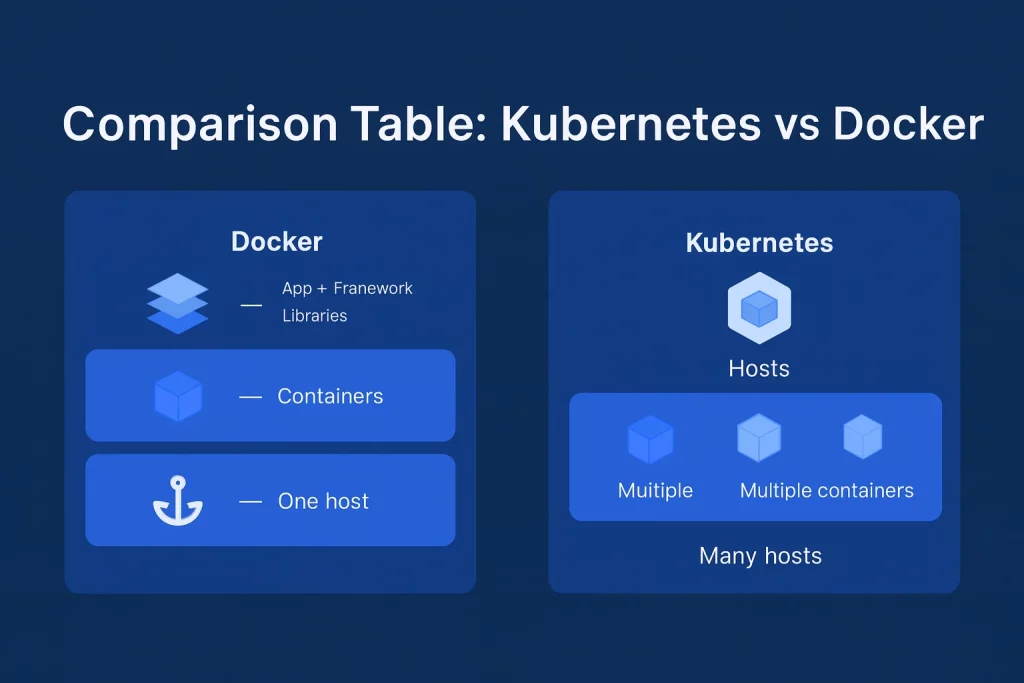
| Things you care about | Docker | Kubernetes |
|---|---|---|
| What it does | Creates & runs containers | Orchestrates containers across servers |
| Scaling | Basic | Advanced & automatic |
| Learning curve | Easy | Harder but worth it |
| Best for | Developers, testing, small apps | Large apps, production, high traffic |
| Handle downtime | Not built-in | Yes, self-heals |
| Deployment magic | Compose/ Swarm | Fully-automated |
Final Thoughts
Understanding Docker and Kubernetes won’t happen in one day, and that’s perfectly fine. What matters is taking the first step, experimenting a little, and watching things start to make sense.
Every expert DevOps engineer once struggled with containers and pods just like you. The more you practice, the clearer the difference becomes and the easier it gets to use them together.
The ones who get ahead aren’t the ones who never make mistakes… they’re the ones who stay consistent, even when it feels confusing at the start. Keep going. You’ll get there.