
Developers at companies like Google, Microsoft, Amazon, and Meta already use AI tools. These tools help them code faster, fix bugs earlier, and ship products more quickly. AI has become the new normal in software development.
As per GitHub’s report, developers using AI complete task 55% faster.
BUT the real question is not whether AI helps. It’s knowing which AI tools for developers will actually help them code faster.
So let’s get started.
Types of AI Tools for Coding Used by Developers
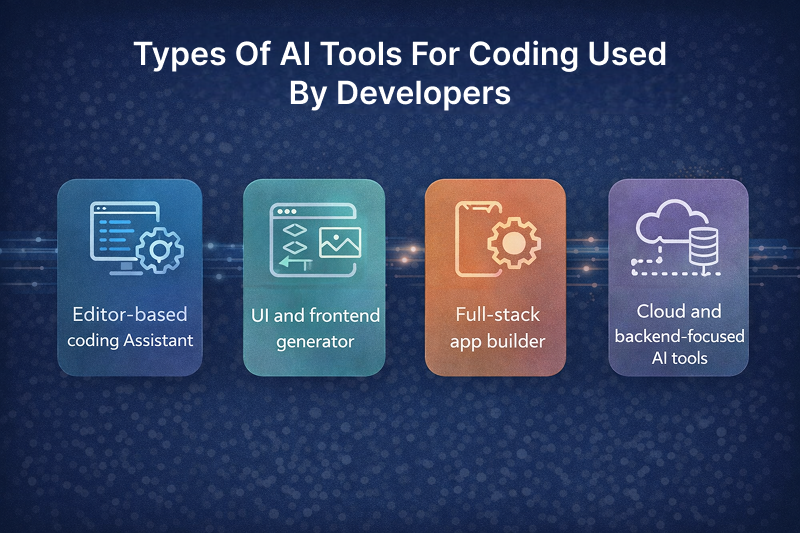
AI programming tools for developers fall into a few clear categories. Each solves a different problem. Picking the right type saves time and avoids tool overload.
1. Editor-based coding Assistant:
These AI tools work directly inside your code editor and support you while you write code. They suggest lines of code, complete functions, explain errors, and help fix bugs in real time.
You still write the logic, but faster and with fewer mistakes. These tools are best for developers who code daily and want speed without losing control over their code.
2. UI and frontend generator:
These tools focus on building user interfaces quickly. You describe a screen, feature, or layout, and the AI generates frontend code like components, styles, and page structures.
Commonly used for dashboards, landing pages, and product interfaces. They save hours of design and boilerplate work, especially when using modern frontend frameworks.
3. Full-stack app builder:
Full-stack AI builders create complete applications from simple text descriptions. They handle the frontend, backend, and sometimes even the database setup.
These tools are ideal for building MVPs, demos, and early-stage products where speed matters more than deep customization. They help turn ideas into working apps in a short time.
4. Cloud and backend-focused AI tools:
These tools are designed for backend development and cloud workflows. They help write server-side code, build APIs, manage databases, and work with cloud infrastructure.
They usually support backend languages like Python, Node, and Java, and are useful for production systems. These tools are best for developers working on scalable, real-world applications.
Best 10 AI Tools for Developers + Free Credits (Tested & Compared)
The right AI tool can help you write cleaner code, fix bugs faster, and ship features in less time. But not every tool is worth using, and free credits often come with limits that matter in real work.
Let’s learn about those free AI tools for developers.
1. GitHub Copilot X
A popular AI coding assistant that works inside editors (VS Code or JetBrains) and helps you write better code faster. It suggests code, writes tests, improves logic, and even explains parts of your code while you type.
Free version: 2,000 code completions + 50 AI chat requests per month.
30-day free trial: Available for Pro plan
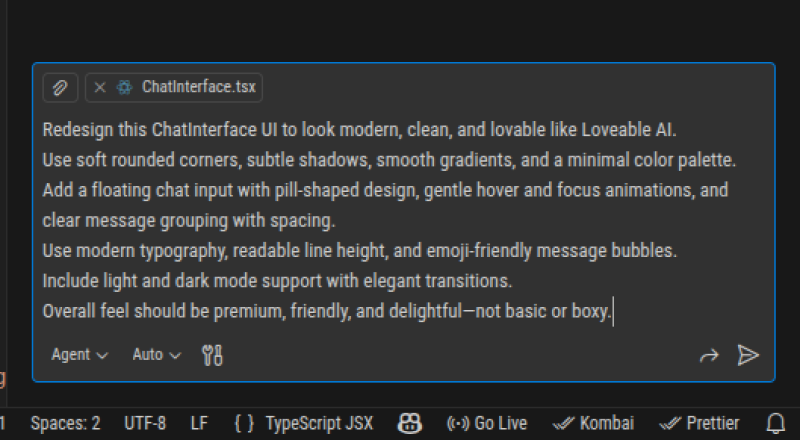
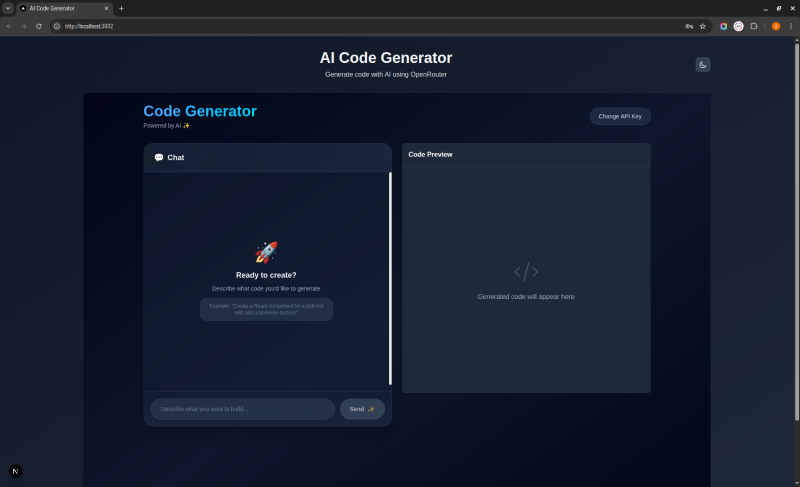
I gave a simple prompt to GitHub Copilot, and within seconds, it generated clean output that takes much longer to write by hand.
| Choose If | Skip If |
|---|---|
| Work with multiple programming languages | Need deep codebase understanding |
| Copilot explains unfamiliar code or patterns | Only works with Figma design |
| Value wide language support (JavaScript, Python, Java, C++, etc.) | Want AI to handle multi-file refactoring |
2. Kombai
A specialized AI agent for frontend UI code. It’s designed to convert designs (like Figma) into structured React, HTML/CSS, or component code and understands frontend frameworks deeply.
Instead of spending 8 hours translating it to React components, Kombai generates 70-80% of the code in 30 seconds.
Free credits: 150 creditson sign up (approx 10-20 design conversions)
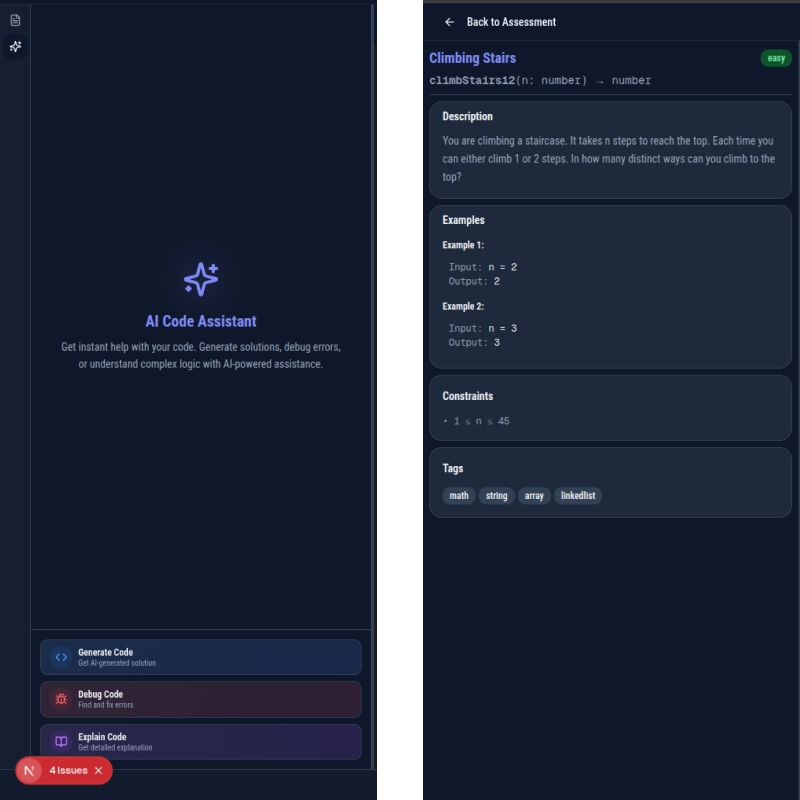
In the above image i have used Kombai AI to generate the side task bar directly by giving a prompt.
Earlier, this feature didn’t exist, as you can see in the first image. AI helped design and build it faster without writing everything from scratch.
| Choose If | Skip If |
|---|---|
| Work closely with designers who use Figma | Build backend-heavy applications |
| Build lots of UI-heavy applications | Need full-stack AI assistance |
| Need to convert email designs to HTML | Want general coding help (it’s specialized for design-to-code) |
| Want to accelerate frontend development dramatically |
3. Cursor
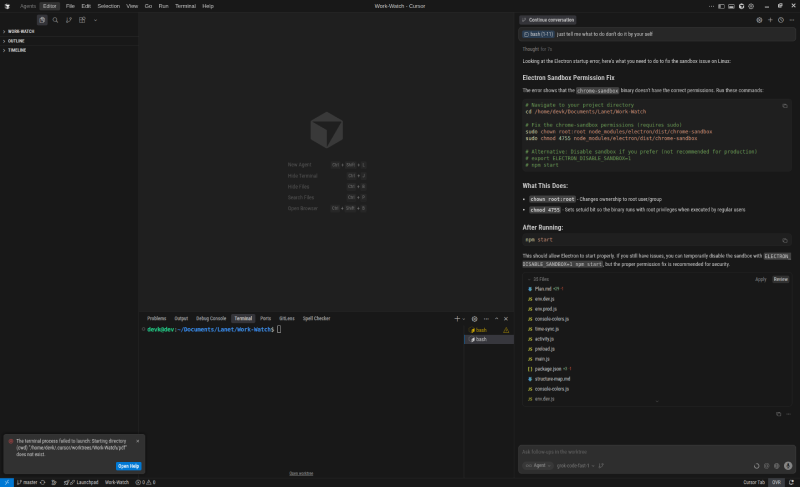
Cursor is an AI-powered code editor built for developers who want to write code faster with less effort. You can write code, edit files, fix bugs, and understand large codebases using simple commands inside the editor.
For developers, Cursor is useful because it understands your full project. You can ask it to update multiple files, refactor code, explain unfamiliar logic, or fix errors across the app.
Free Credits: 2,000 code completions/months
7-Day free trial: Pro features available
| Choose If | Skip If |
|---|---|
| Need AI that understands your entire codebase context | Free tier limits |
| Code 4+ hours per day professionally | Have a tight budget |
| Want the absolute best AI coding experience available | Work on very large codebases |
| Work on complex, multi-file projects | Don’t want to switch from VS Code |
4. Antigravity
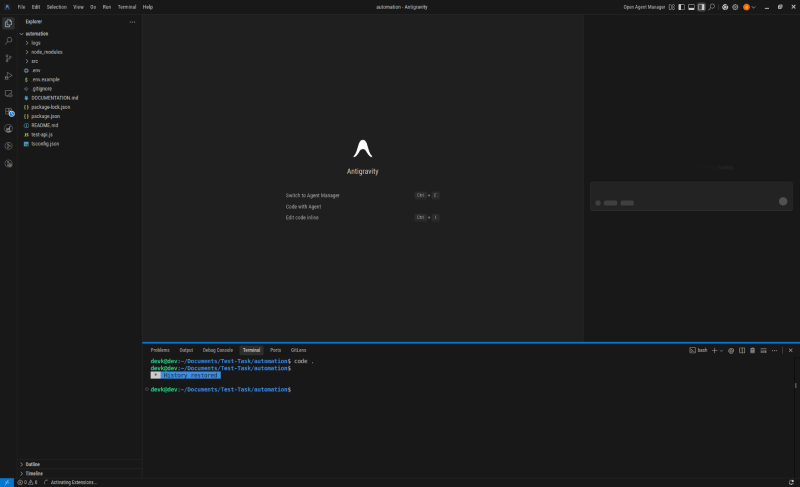
Antigravity is an AI-powered coding environment being developed by Google. Instead of being just a plugin or assistant, it’s an AI-first IDE. It means the AI is built into the core of the editor, not added on top.
Unlike basic AI coding tools that only help with one file at a time, Antigravity can work across your entire project. It’s meant to be more like a co-developer that “knows your code” and can make smart updates based on what you ask.
Free plan: Although it’s free now, Google is expected to introduce paid plans in the future
| Choose If | Skip If |
|---|---|
| You work on large or messy codebases | You only want inline code suggestions |
| Like exploring new tools in a free preview | Prefer a stable, widely adopted tool |
| Want an AI-first IDE experience | You don’t want to switch editors |
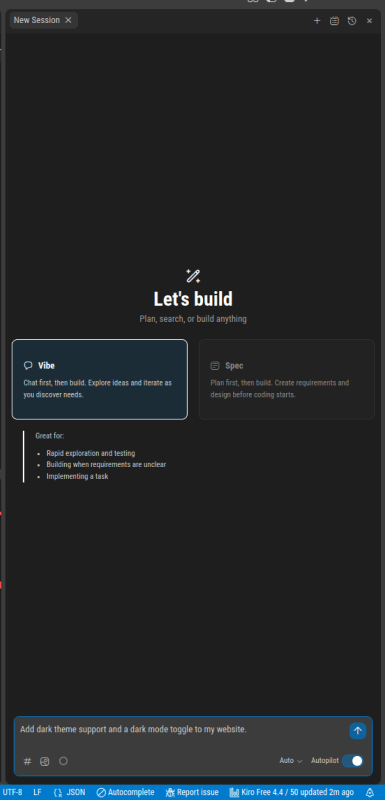
5. Amazon Kiro
Amazon Kiro is a new AI-powered development tool from Amazon Web Services (AWS). It goes beyond simple code suggestions, helping developers build software in a structured way.
Unlike traditional AI assistants that just generate snippets, Kiro breaks down your high-level prompts so you can move from idea to production with fewer manual steps.
Free Credits: 50 credits per month
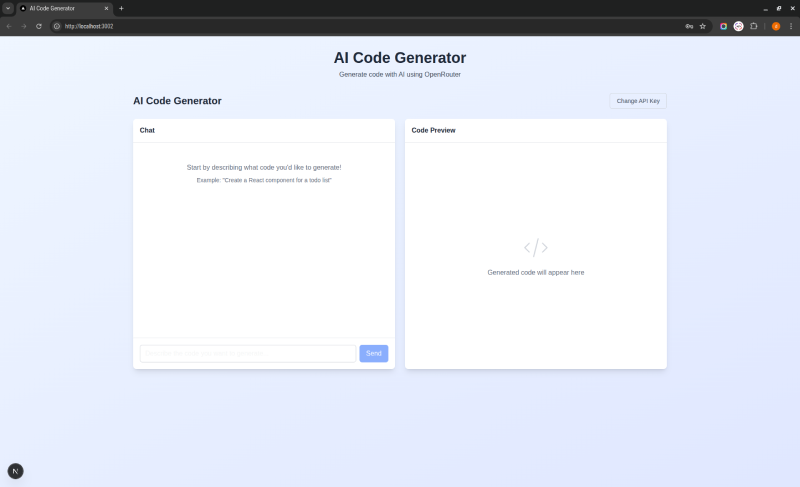
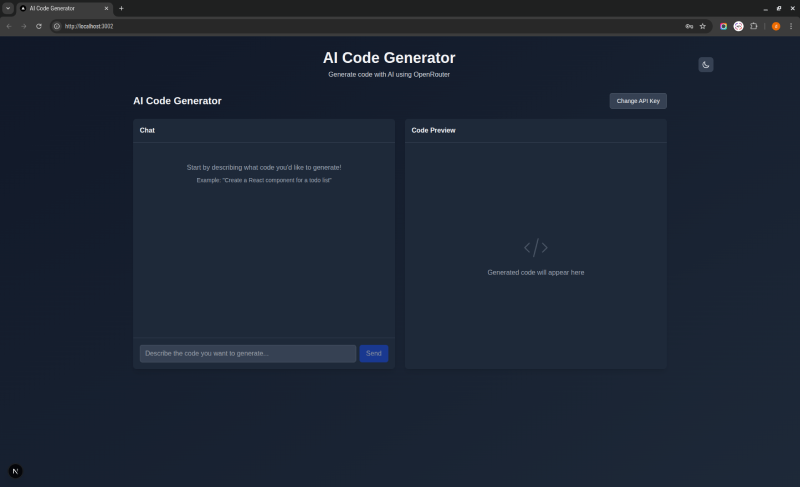
Below is an example of the before-and-after using the Antigravity AI tool.
| Choose If | Skip If |
|---|---|
| Want an AI assistant that helps with architecture, planning, and dev tasks | Want a stable AI coding assistant in your editor |
| Build applications on AWS or cloud services | Mostly coding manually |
| AI agents that can break down prompts into specs, tasks, and working code | You work outside AWS or don’t rely heavily on cloud integration |
6. vO Vercel
An AI tool that turns plain language into real UI code. You describe a user interface (UI), and v0 generates production‑ready React code with Tailwind CSS and Shadcn UI components. It can also help build full pages and even simple apps.
Tell it what you need (text prompt or even a sketch). It outputs clean React code that you can copy into your project or deploy.
Free credits: Monthly 200 credits
| Choose If | Skip If |
|---|---|
| Fast UI scaffolding without writing every line | You want editor-embedded coding help (like Copilot) |
| React + Tailwind-friendly code output | You work outside the frontend or React ecosystems |
| Built-in deployment to Vercel | You don’t need UI generation or deployment features |
7. Bolt AI
Bolt AI is an AI‑powered app builder that turns natural language into full web or mobile apps right in your browser. You type what you want (like “CRM with notes and auth”), and it generates frontend + backend + database code fast.
It runs a dev environment directly in the browser, so you don’t need installs or local setup.
Free credits: Limited tokens each month
| Choose If | Skip If |
|---|---|
| Build real apps without writing every line of code | Want a simple editor AI helper (like Copilot) |
| Rapid prototyping or MVPs | Need rock-solid production apps with full code control |
| Full-stack output you can tweak and deploy |
8. Lovable
Lovable is an AI‑powered app and website builder that turns your plain language ideas into real web apps and sites.
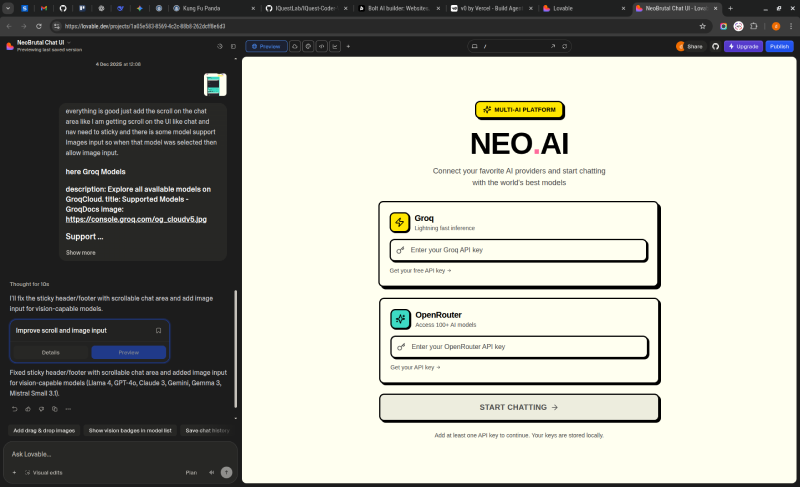
You talk to the AI, and it builds frontend + backend code you can edit, deploy, or export. It works through a chat‑style interface.
Free credits: 5 free credits/day
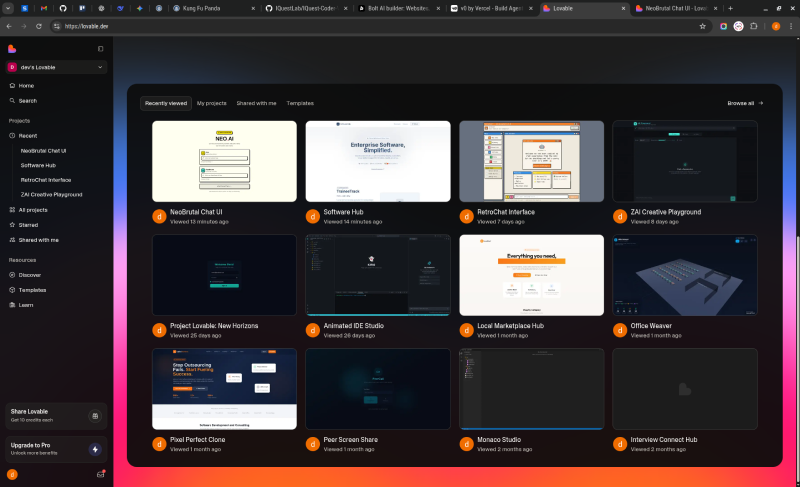
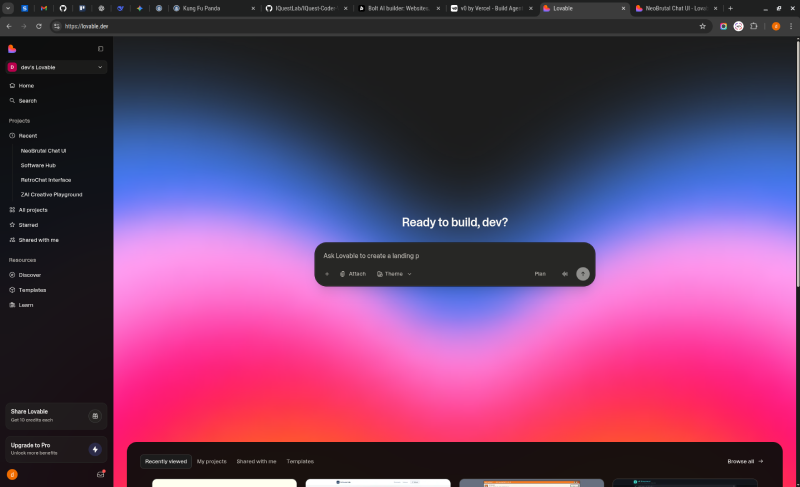
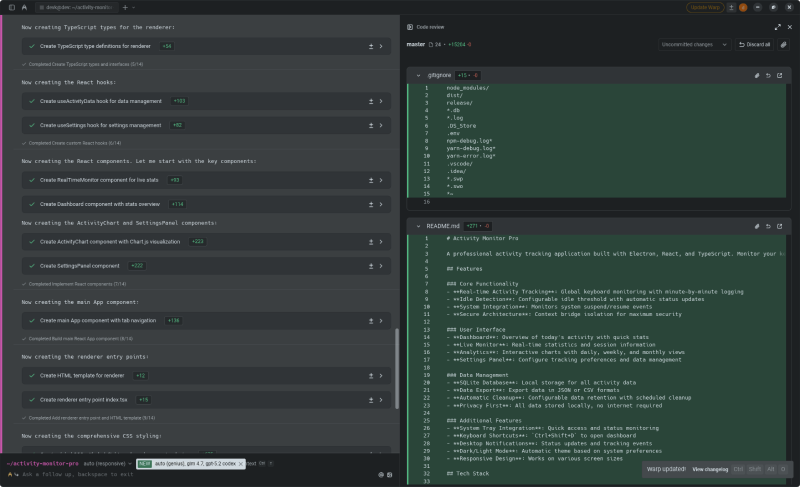
Above are the interface images.
| Choose If | Skip If |
|---|---|
| You want AI to build full web apps from text without heavy manual coding | You just want an editor assistant help (like Copilot) |
| Need frontend + backend together | Prefer full control over every line of code from day one |
| Prioritize fast prototypes or MVPs | Need deep customization for complex production systems |
9. Wrap
An AI powered no-code tool builder known as Wrap. It is a platform that lets you create small AI powered tools for websites without writing a single line of code. Think of it as a shortcut for marketers, content creators, or businesses to add interactive features that engage users and generate leads.
shortcut for marketers, content creators, or businesses to add interactive features that engage users and generate leads.
How it works:
- You describe the tool you want in plain language.
- Wrap’s AI generates the tool instantly.
- You can customize design, inputs, colors, and branding.
- The tool is ready to embed on your website or share via link.
Free Credits: Premium tool with paid plans only.
| Choose If | Skip If |
|---|---|
| You want to add interactive AI tools to your website without coding | Need a full app builder or something that creates complex systems |
| Want lead capture tools that help grow email lists or conversions | Want editor-embedded AI help for coding (like Copilot) |
| You need AI tools that boost SEO and engagement on existing sites | Wrapifai is a premium tool with no free credits |
10. Amazon Q
Amazon Q is AWS’s AI assistant built for developers working on backend systems. It helps you write, understand, debug, and modernize code across Python, Node.js, Java, and more.
Additionally, it works inside your IDE, AWS Console, and CLI, so it understands your cloud setup, APIs, databases, and services. It’s especially strong for backend logic like APIs, authentication, data pipelines, and cloud workflows.
Free credits: Each month, you get:
- 50 agent chat interactions
- 1,000 lines of code
| Choose If | Skip If |
|---|---|
| Want AI help in your real editor | When you don’t need AWS integration |
| Work with backend languages and want faster coding | You just want a simple text-based coding helper in your editor that doesn’t tie to AWS at all |
| Use AWS and cloud workflows | Prefer a standalone, cloud-agnostic AI coder (like GitHub Copilot) |
Final Thoughts
Coding in 2026 looks very different from what it did a few years ago. AI coding tools have become part of the daily workflow for developers. They help developers in completing task 55% faster.
BUT speed does not come from using every tool. It comes from using the right coding help AI for the job. Like:
- For all-day coding: use Copilot, Cursor, and Amazon Q.
- If your work is UI heavy: Choose vO, Kombai, & Lovable.
- Want to build MVPs or demos: Then Bolt AI is the best choice.
Pick the tool wisely, as overloading would slow your work down. AI will not replace developers. But developers who use AI well will ship faster, make fewer mistakes, and stay ahead in 2026.